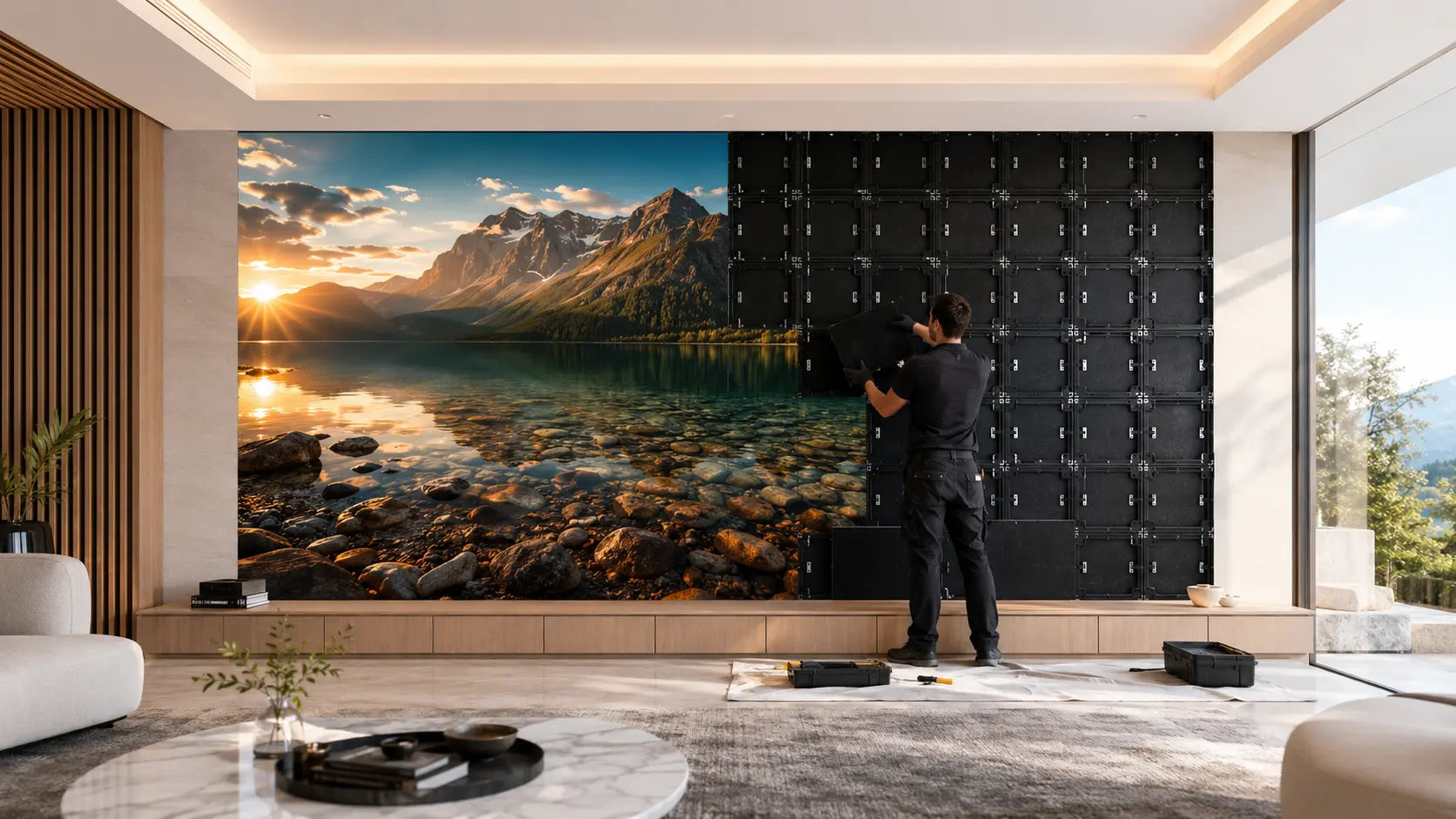
Light where the image is. Nothing where it isn’t.
MicroLED is self-emissive: each pixel creates its own light instead of relying on a shared backlight or a projection surface. That display design changes black level, brightness, scale, response and serviceability—but the final result still depends on the exact panel, processor, calibration and room.
Approximately 34 years at eight hours a day.*
Black is created by switching a pixel off rather than dimming a backlight. Room reflections still affect perceived black on any physical surface.
Driver precision helps shape smooth gradients and near-black detail. It is distinct from the source signal’s color bit depth.
Manufacturer-documented 170-degree horizontal and vertical viewing supports a clear image across the room.
A display designed to serve the room for decades.
A 100,000-hour rated LED life equals roughly 34 years at eight hours a day—a useful way to think about the display as part of the room for the long term.*
No shared backlight.
LCD modulates a backlight through liquid crystals and filters. Projection sends light across the room to a reflective surface. OLED and MicroLED are both self-emissive, but OLED uses organic emitters while MicroLED uses inorganic semiconductor LEDs.
When a MicroLED pixel is commanded to black, its emitters switch off. That removes backlight blooming at the source. Perceived black still depends on room reflections, the protective surface and calibration, so no physical display is literally immune to its environment.
The practical advantage is range: a properly specified wall can produce strong highlights in a brighter room and then reduce output for comfortable evening viewing. Required brightness and surface treatment are confirmed from the actual room conditions.

Color depth the eye can actually perceive.
Color on a display is measured in bits per channel. An 8-bit display produces 256 shades of red, green and blue — 16.7 million combinations. That number sounds large until you see a gradient band instead of a smooth transition, or a sunset that posterizes at the edge of the sky.
Premium HDR sources commonly arrive at 10-bit color depth per channel: 1,024 encoded levels per primary and over one billion possible color combinations. MicroLUX panels add up to 16-bit driver-level grayscale processing — 65,536 intensity steps per color channel — to translate that source into smooth gradients and controlled near-black detail. Source bit depth and panel grayscale precision are related, but they are not the same specification.
Color gamut and accuracy depend on the emitters, processor, calibration instruments, target white point and operating brightness. MicroLUX documents the achieved gamut and calibration targets for the exact approved configuration rather than treating a category maximum as universal.
The physics, plainly stated.
A direct-view LED display is built from large numbers of red, green and blue semiconductor emitters assembled into modules and cabinets. The exact chip geometry, packaging and transfer method vary by panel design.
Each cluster of red, green and blue emitters forms a pixel. When it displays color, the emitters are driven independently to create the required chromaticity and luminance. When commanded to black, the emitters switch off, leaving no shared backlight to bloom through that pixel. Surface reflections and room light still influence the black the viewer perceives.
OLED shares the self-emissive benefit but uses organic materials and can be susceptible to permanent image retention under some usage patterns. LCD depends on a backlight and local-dimming system. Projection depends strongly on the screen and ambient light. MicroLED’s combination of inorganic emitters and modular construction is what makes it especially compelling at room-filling scale.
The number that connects scale to seating distance.
Pixel pitch is the distance in millimeters between the center of one pixel and the center of the next. It determines pixel density — how many pixels occupy a given area of the wall — and therefore the minimum comfortable viewing distance for a seamless image.
A tighter pitch packs more pixels into the same surface. From close seating, this resolves more detail and produces a higher-density image — the equivalent of increasing resolution on a fixed-size screen. A wider pitch spreads pixels farther apart, which reduces cost per square foot of panel but requires greater viewing distance before the individual pixels become imperceptible.
The most expensive pitch is not automatically the right pitch. If a wider pitch already resolves as one continuous image from your closest normal seat, paying for the tightest pitch buys resolution you may never see. MicroLUX recommends the pitch that earns its cost in the actual room—not simply the smallest number available.
| Tier | Pixel Pitch | Pixels per cabinet | Illustrative starting distance | Best use case |
|---|---|---|---|---|
| Prestige | 0.9375 mm (P0.9) | 640×360 | From 4–5 ft | Dedicated screening rooms, close-seating theaters |
| Grand | 1.25 mm (P1.2) | 480×270 | From 6–8 ft | Primary living rooms, the all-rounder |
| Signature | 1.50 mm (P1.5) | 400×225 | From 8–10 ft | Great rooms, larger open-plan spaces |
| Studio | 1.875 mm (P1.8) | 320×180 | From 10–12 ft | Grand-scale walls, large entertainment spaces |
Optimal viewing distance is a guideline, not a hard threshold. The design consultation maps pitch to your actual seating position, room dimensions and content type to confirm the right tier before anything is specified. When two pitches look equally seamless from your seat, we recommend the less expensive answer.
Why we do not put “4K” on every wall.
Native resolution is the wall’s physical pixel grid. In a modular MicroLED wall, it is determined by the pixels in each cabinet multiplied by the number of cabinets—not by the diagonal and not by the resolution of the source.
Some MicroLUX configurations meet or exceed the 3840 × 2160 4K UHD pixel grid; others do not. Across the complete 36-SKU catalog, native resolution ranges from 960 × 540 to 5120 × 2160. Every product table and configuration page states the exact number before you call.
The trade is deliberate. At wall scale, a seating distance that makes the pixel structure disappear can make a wider pitch the smarter purchase. Paying for pixels the seat cannot resolve does not improve the experience.
For example, the introductory 108-inch Lifestyle Signature wall is 1600 × 900 native resolution across a 94.5 × 53.1-inch visible face (108.4-inch actual diagonal). A 4K source is scaled to that grid; the wall itself remains 1600 × 900.
Compare native resolution, pixel pitch, visible dimensions and closest seating distance together. MicroLUX recommends the least expensive configuration that looks continuous and resolves the intended content from the actual room.
Why a 3,840-hertz refresh rate matters — and what it does not mean.
Video frame rate and LED panel refresh are different measurements. A source may deliver 24, 60 or 120 frames each second. The panel refresh specification describes the much faster drive cycle used to scan and modulate the LEDs inside each source frame.
MicroLUX panel configurations are specified at 3,840 hertz; the achieved rate depends on the selected panel and drive system. That high panel rate supports stable low-brightness behavior, clean camera capture and coherent fast motion; it does not represent the number of video frames shown each second. NovaStar's specifications for the VX2000 Pro and MX40 Pro processors list a maximum 4K (3840 × 2160) input at 60 Hz; both also accept 1920 × 1080 sources at 120 Hz, and the MX40 Pro accepts 2560 × 1440 at 120 Hz. Native resolution and high-frame-rate operation remain dependent on the written receiving-card, driver-IC, scan and bandwidth configuration.
The selected processor, receiving card, driver IC, scan configuration and calibration all matter. MicroLUX confirms the achievable refresh specification for the exact wall rather than treating a maximum component claim as a universal result.

Engineered at the chip level to last.
How a pixel is mounted to the board determines how long it lasts, how uniform it looks, and how much punishment the surface can take. Conventional SMD mounting uses wire bonds — microscopic gold wires that connect the emitter to the board — and exposes those bonds to mechanical stress, humidity, and heat cycling.
Flip-chip chip-on-board construction removes conventional face-up wire bonds from the package. Each LED die is mounted face-down and bonded directly to the substrate, creating a shorter electrical and thermal path. Heat can move away from the emitters more efficiently, reducing thermal stress that can affect brightness, color stability and module life over time.
COB packaging then encapsulates the microscopic emitters together beneath a common protective surface. The result is fewer fragile connections, stronger resistance to impact, dust and humidity at the display face, improved surface uniformity and thermal management designed for long daily use.
Flip-Chip COB is the MicroLUX indoor hardware baseline. The exact encapsulation, surface treatment, brightness and service procedure remain documented for the selected product.
MicroLED vs every other format.
Competitive display technologies solve one problem by creating another—brightness, glare, black level, viewing angle, room control or maintenance. MicroLED starts from a different premise: self-emitting pixels, without a backlight or projection path. The comparison below shows why that matters; product-level performance should still be compared by current specification and equivalent size.
| Metric | MicroLED | OLED | QLED / LCD | 4K Laser Projector |
|---|---|---|---|---|
| Pixel-level black / contrast | ✓ Pixel off = off | ✓ Organic off | ✗ Backlight bleed | ✗ Room-dependent |
| Native resolution at a given size | Set by pixel pitch and cabinet count; stated for every configuration (960 × 540 to 5120 × 2160) | 4K is common at current consumer sizes; model dependent | 4K is common at current consumer sizes; model dependent | Native 4K is common in current premium models; projector and imaging path dependent |
| Bright room performance | ✓ Excellent — bright-room capable | ~ Output, glossy-screen glare and reflection dependent | ✓ Often strong; model dependent | ~ Benefits substantially from light control |
| Color depth | Source path and driver-processing dependent | Model and source dependent | Model and source dependent | Projector and source dependent |
| Burn-in risk | Far lower than organic OLED | Yes — permanent | None | None |
| Panel / lamp rated life | Selected LED ratings up to 100,000 hours; operating-condition dependent | Manufacturer and usage dependent | Backlight and usage dependent | Light-source mode and manufacturer dependent |
| Viewing angle color shift | Minimal — wide COB viewing cone | Typically wide; model dependent | Panel type dependent | Screen and room dependent |
| Maximum practical size | Room-filling scale — modular panels | Limited by manufactured panel sizes | Limited by manufactured panel sizes | Large formats possible; room and optics limit the result |
| Seamless, bezel-free surface | ✓ Bezel-free modular canvas; alignment and calibration matter | ✗ Frame border | ✗ Frame border | ✓ |
| Custom aspect ratios | ✓ 16:9 and exact ultrawide cabinet ratios | ✗ 16:9 only | ✗ 16:9 only | ✓ |
| Outdoor capable | ~ Product-specific; Ascent is Coming Soon | ✗ | ✗ | ~ Limited |
| Installation footprint | Cabinet structure, power, signal, ventilation and service access required | Wall-flush | Wall-flush | Ceiling/floor mount + calibration + light control |
| Price basis | Cabinet area, pitch, processor, structure and project scope | Manufactured screen size and model | Manufactured screen size and model | Projector, lens, screen, mounting and room work |
MicroLED is the only column here whose native resolution changes with both pitch and cabinet count. That is the trade: choose the resolution the seating distance can actually reveal, instead of paying automatically for pixels you cannot see.
Performance varies by selected panel, driver, processing chain, calibration and operating conditions. Final specifications are confirmed with your order.

Now match the engineering to the seat.
Bring the room width, lighting, closest seat and content mix. We’ll turn pixel pitch, native resolution and output into a configuration you can evaluate line by line.